One calendar for everyone
Keep the dentist visit, the weekly practice and the family gathering in a shared view, with attendees and recurring events.

A SHARED PLACE FOR FAMILY LIFE
One family calendar. Shared tasks and shopping lists. An assistant that asks first. Make room for the people behind the plans.
Coming soon · Android first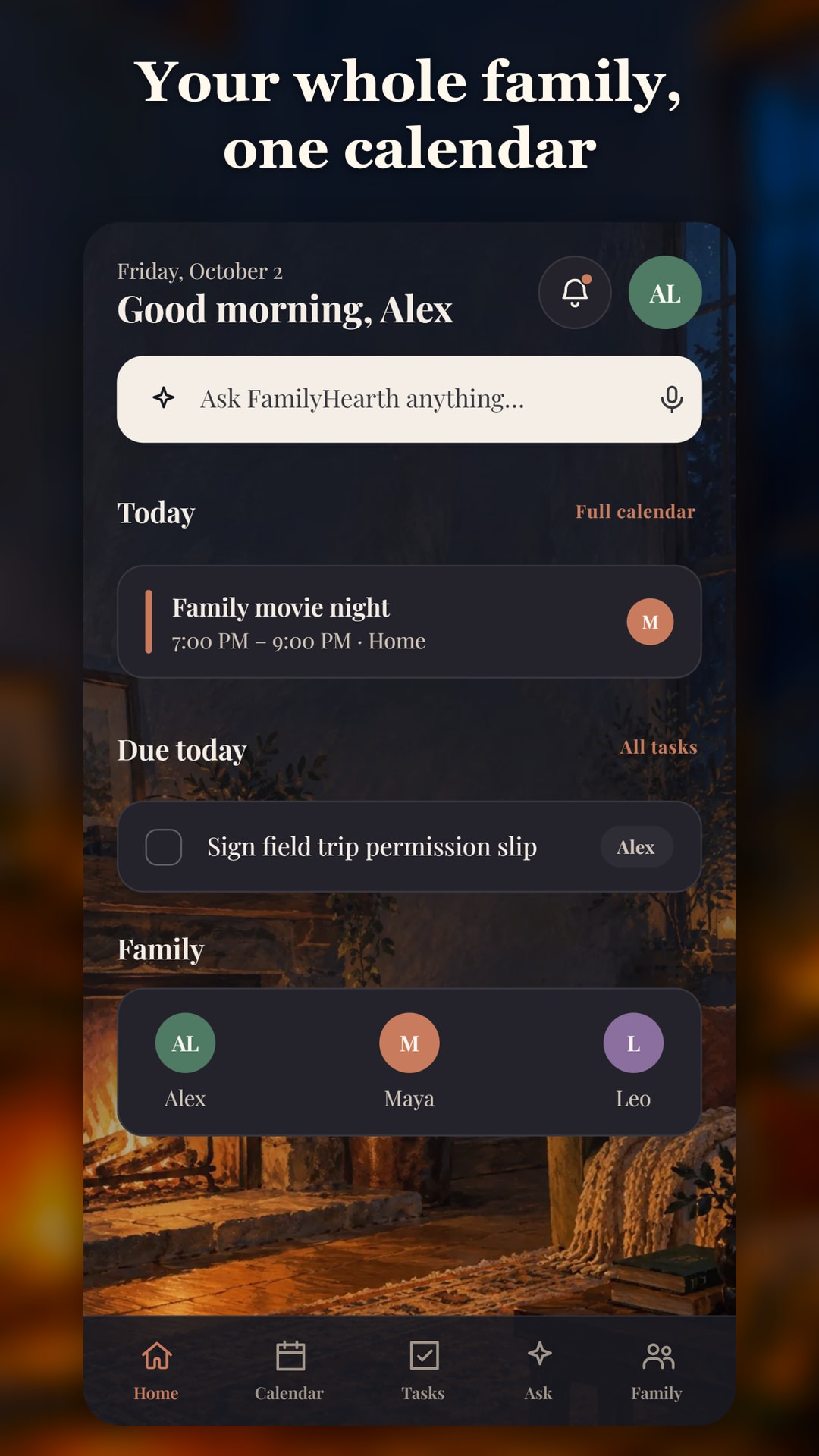
THE EVERYDAY, IN ONE PLACE
Keep the dentist visit, the weekly practice and the family gathering in a shared view, with attendees and recurring events.
Assign what needs doing, note who it is for, and keep due dates and progress visible.
Add quantities, check items into the cart and share the list with your family.
Pro adds push and email reminders for events and due tasks.
Two-way Google Calendar sync is part of Pro, connecting family plans with the calendar you already use.
Choose from light, dim and dark themes, styled looks and painted scenes, with your own accent colour and typeface.
HELP THAT LEAVES YOU IN CHARGE
Say or type what you need. With Pro + AI Assist, you can also forward school or sports emails for suggested plans. Every proposed change shows what will happen and who is affected before you approve it.
ILLUSTRATIVE CONFIRMATION
“Move Maya’s piano lesson to Thursday at 4.”
Try the example. No calendar or family data will change.
The pattern stays the same: what it understood, what will change, who is affected, then confirm, edit or cancel. Nothing changes until you confirm.
REAL FAMILYHEARTH SCREENS
Actual app screens with sample family plans. Select an image to explore the calendar, tasks, assistant and appearance options.
See upcoming plans and the tasks that need attention in one shared view.
Review a suggested change and the people it affects before confirming.
Keep family events, recurring commitments and attendees connected.
See what needs doing, who is responsible and when it is due.
Explore themes, painted scenes, accent colours and typefaces.
ROOM FOR DIFFERENT FAMILIES
FREE
Family calendar, tasks and a shopping list within the Free plan’s limits.
PRO
Unlimited events, tasks and family members, plus push and email reminders and Google Calendar sync.
PRO + AI ASSIST
Everything in Pro, plus the assistant, voice input and the email inbox, with monthly AI credits.
Launch pricing, plan limits and store availability will be confirmed at release.
BUILT AROUND THE FAMILY
Parents and caregivers add the people and plans their household needs to coordinate.
The assistant presents changes for review. Confirm, edit or cancel before anything is applied.
Choose a look that feels comfortable to return to, from a calm cream theme to a painted fireside scene.
GOOD TO KNOW
Parents and caregivers coordinating a household’s events, tasks, children’s commitments and shopping lists.
No. Its action proposals require confirmation. You can review who is affected, edit the suggestion or cancel it.
Two-way Google Calendar sync is part of Pro. Calendar connection details and launch availability will be confirmed with the release.
FamilyHearth is Android first, with a responsive web experience. A public iOS release has not been announced.
Yes. The app includes plain themes, styled looks and painted scenes, plus selectable accent colours and typefaces.
The Android app is preparing for release. Contact Aurvandil for launch updates.
FAMILYHEARTH · BY AURVANDIL
Get in touch about FamilyHearth and its upcoming release.