Start the job
Open the job and start its timer. Elapsed time stays attached to the work.
FOR THE TRADES · AVAILABLE NOW
Jobs, time and parts, logged on site. A one-thumb job book for tradespeople, technicians and small service businesses.
Available now on Google Play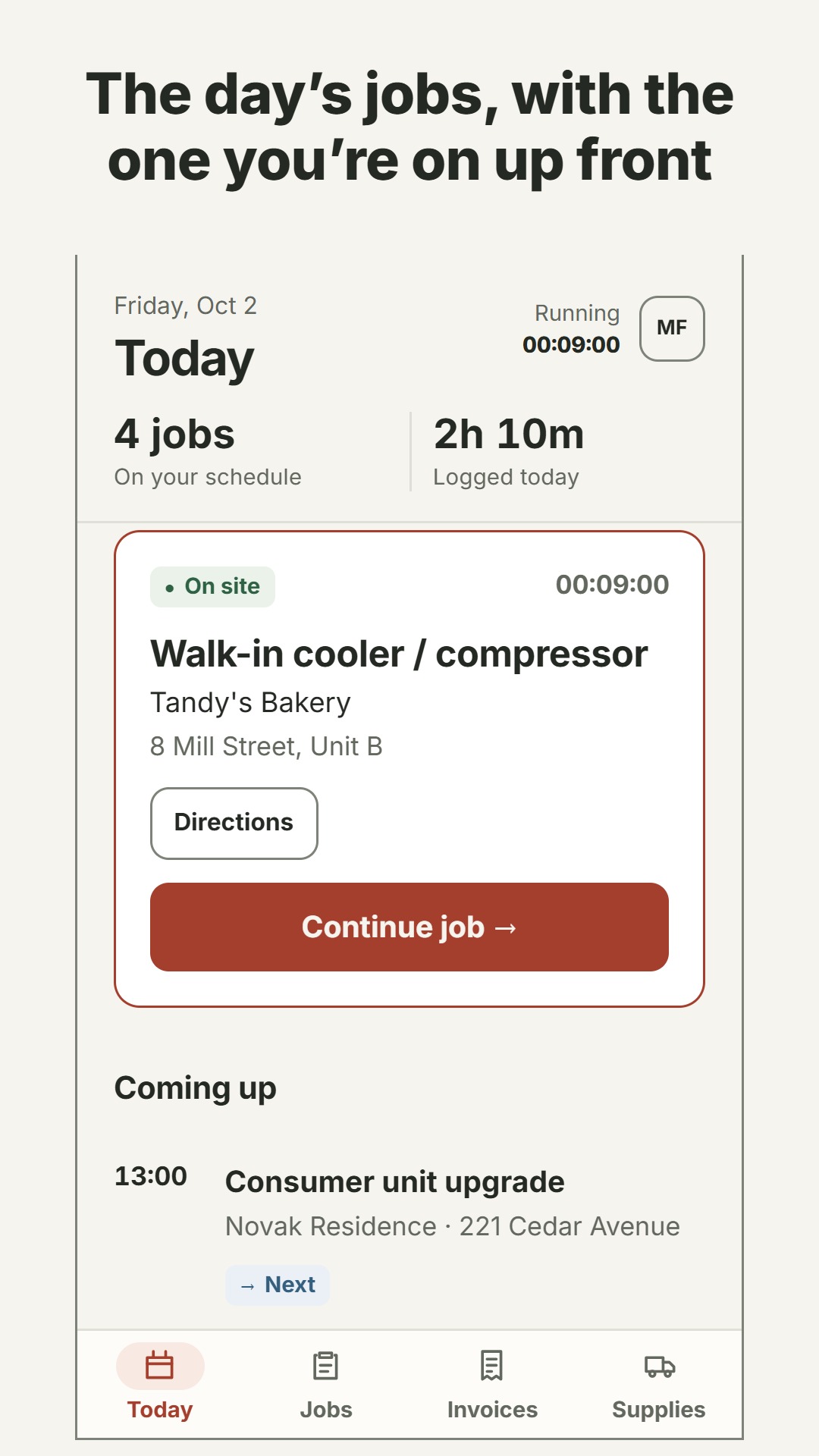
FROM ARRIVAL TO INVOICE
The work is only part of the job. Keep the time, materials, scope and photos alongside it, so there is less to reconstruct at the end of the day.
Open the job and start its timer. Elapsed time stays attached to the work.
Tick off scope, add notes and photos, and log the parts you use.
Review labour, materials and your call-out before preparing the invoice.
Review the business overview or export the record for your next step.
BUILT AROUND A WORKING DAY
Keep job notes, scope and photos together in a phone-friendly record.
Use a running timer and retain the elapsed time when you close the app.
Log parts from your own price list and carry their costs into the job.
Count supplies, see low stock and prepare a restock list—or use a price list without stock counts.
Keep local backups and restore them on every plan. Plus adds CSV export for your spreadsheet or accountant.
Bring labour, parts and tax into numbered invoices, with PDF and spreadsheet invoice tools in Plus.
REAL SNIB SCREENS
Light and dark views from the app, with sample jobs and business data. Select a screen for a closer look.
Today keeps the current job up front and the rest of the day close by.
Run the job timer and work through the scope while you are on site.
Record materials against a job using your own supplies and price list.
See labour, parts and tax together in the job’s invoice.
Stock counts and low-stock warnings make the next restock easier to plan.
Review recorded hours, completed jobs and billed work by period.
FREE, PLUS & TEAM PLANS
Record the work free, with no cap on jobs or hours. Choose Plus for invoicing, exports and cloud backup, or a team plan to put your crew on one book.
FREE
Free
PLUS
$10/mo
ONE BOOK FOR THE CREW
Assign jobs to each person, give everyone a van, keep one run of invoice numbers, and choose who sees what.
PRO
$20/mo
Up to 4 people
One shared job book, assigned jobs, a van per person, shared invoice numbering and visibility controls.
CREW
$35/mo
Up to 10 people
One shared job book, assigned jobs, a van per person, shared invoice numbering and visibility controls.
TEAM
$50/mo
Up to 20 people
One shared job book, assigned jobs, a van per person, shared invoice numbering and visibility controls.
Cloud backup and teams are the only parts that ask you to sign in, using an email and password.
Team books are encrypted too. Snib can see how many jobs there are and who has them, but cannot read what is in them. Encrypted cloud backup stores a snapshot; it is distinct from continuous multi-device sync.
A FEW PRACTICAL DETAILS
Tradespeople, technicians, handymen and small service businesses who need a clear record of work done on site.
No. Use stock counts and low-stock warnings, or keep a price list without counting quantities. Free includes a van list of up to 10 parts; Plus includes an unlimited van list.
Local backup and restore are free on every plan, including jobs, photos, parts and invoices. Plus adds CSV export for your spreadsheet or accountant.
The invoice action opens your email client with a summary. Attach the exported PDF when the client needs the complete invoice.
Actual Snib app screens with sample data, captured for its store assets. They illustrate the interface rather than a customer’s private job records.
Snib is available on Google Play. Start with Free, choose Plus at $10/month, or pick a team plan: Pro at $20/month for up to 4 people, Crew at $35/month for up to 10, or Team at $50/month for up to 20.
SNIB · BY AURVANDIL
Get Snib on Google Play, or contact Aurvandil about how it fits your working day.